Wijhah
Turning a huge, unfamiliar Expo into a route you can follow
Expo 2030 Riyadh will be a large, unfamiliar site with many pavilions and limited time. Wijhah turns a visitor’s interests, companions, pace and entry gate into an ordered route, and lets them change the rest of the day without losing what they’ve visited.
Expo 2030 challenge entry
- My role
- UX/UI designer on the Wijhah team
- Project type
- Expo 2030 Riyadh Challenge · Track 1: Smart Visitor Experience
- Team
- Team project
- Timeline
- 2026
- Method
- Requirements-based UX → hi-fi UI & developer handoff
- Tools
- Figma
4
short planning steps before the route
22
UX gaps & edge cases prioritised
12
open questions documented for stakeholders
2
languages and themes (AR/EN · light/dark)
The challenge
The site is large and the choices are many. Visitors need to turn their interests and the limits of their day (time, companions, energy, entry gate) into an order of pavilions they can follow and change.
My contribution
As a UX/UI designer on the team, I worked from the challenge requirements to a structured UX study (scope, information architecture, user flows, edge cases and accessibility guidance), then to high-fidelity screens in light and dark mode with developer notes.
Key insights
The study drew on the challenge requirements and accessibility standards (WCAG 2.2, Apple HIG, Material 3).
Four needs, one journey
Plan with little effort, know the next stop, change the rest of the day without losing progress, and keep a record of visits.
Trust depends on what stays fixed
If an update could change stops already visited, the plan would stop feeling reliable.
Outdoors, walking, one hand
Sunlight and crowds make contrast, large targets and actions in the bottom third of the screen essential.
Key decisions
01Visited stops stay fixed
- User need
- Plans change during the day, but visitors shouldn’t lose what they’ve done.
- Design response
- Edits and updates only touch the remaining stops, reordered from the last pavilion visited.
- Why it matters
- Visitors can adapt freely because nothing they’ve done is lost.
02Never rely on colour alone
- User need
- The requirements marked visited stops by colour only, which is hard to read in sunlight or with colour-vision deficiency.
- Design response
- Each state has an icon, text and colour; the map has a list alternative; drag-to-reorder has move buttons.
- Why it matters
- The plan stays usable outdoors, for screen-reader users and for people with limited motor control.
03Clear states in plain language
- User need
- If personalisation fails or a pavilion has no ratings, the interface shouldn’t mislead.
- Design response
- A fallback is labelled “General route” with a reason and a retry, and unrated pavilions show “No ratings yet” instead of 0.
- Why it matters
- Visitors keep trusting the plan because it always tells them what’s happening.
Plan the day, then adapt it
From four planning questions to a ready route, a plan update and the accessibility version.
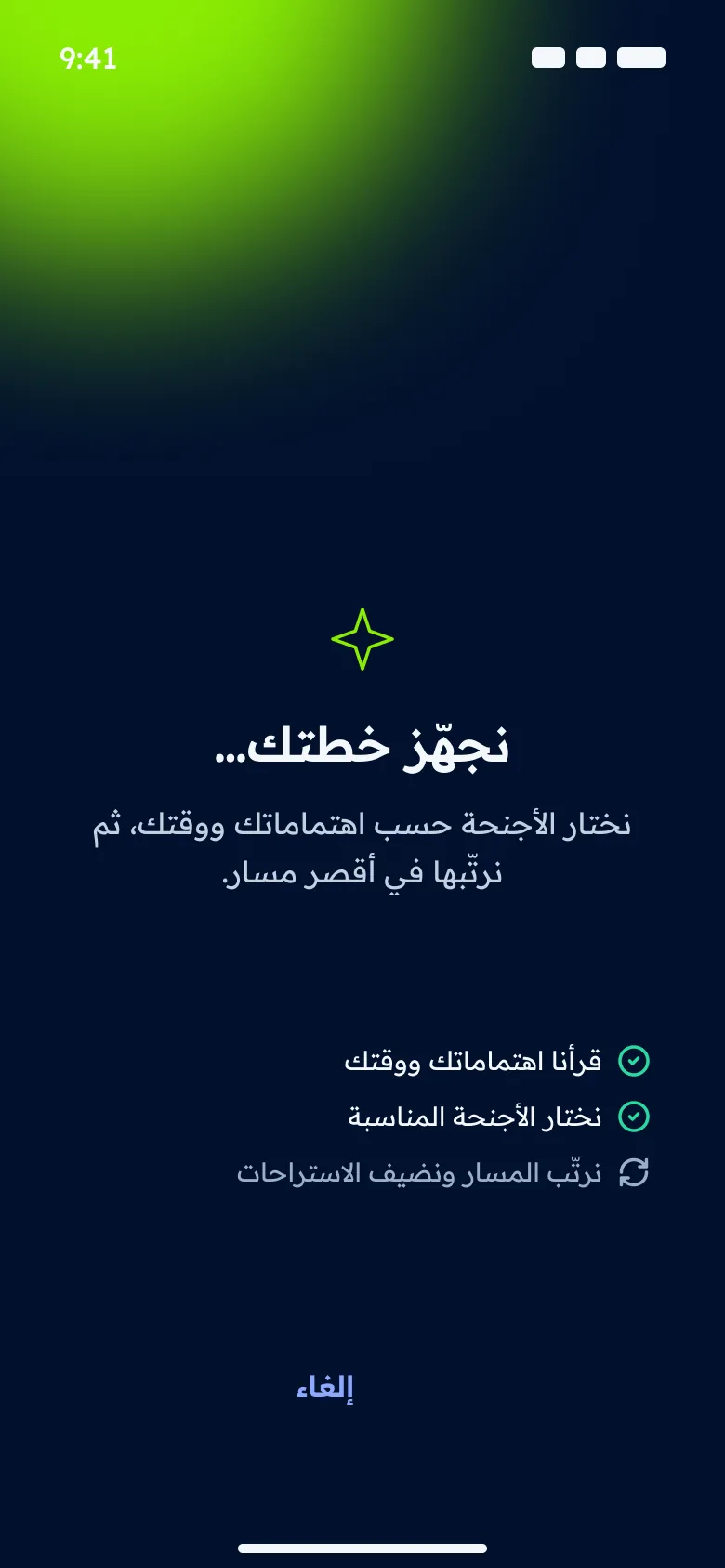
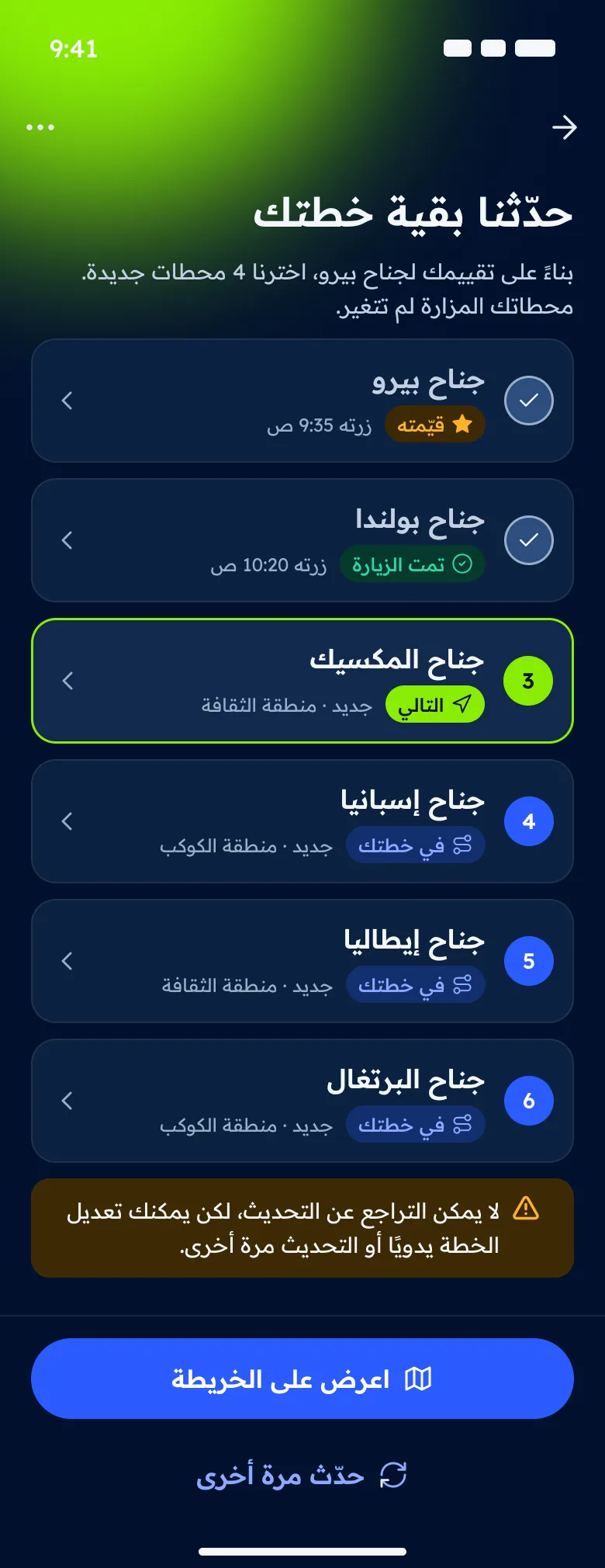
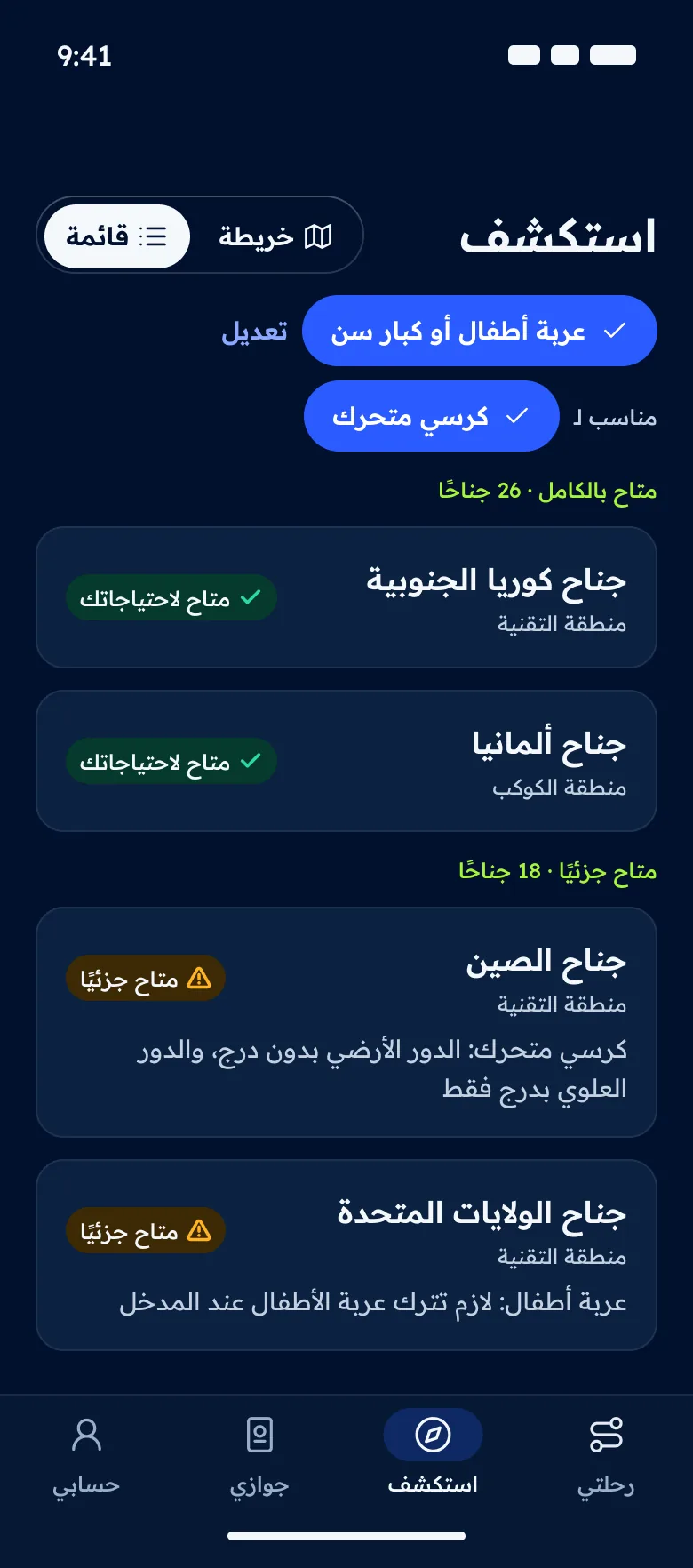
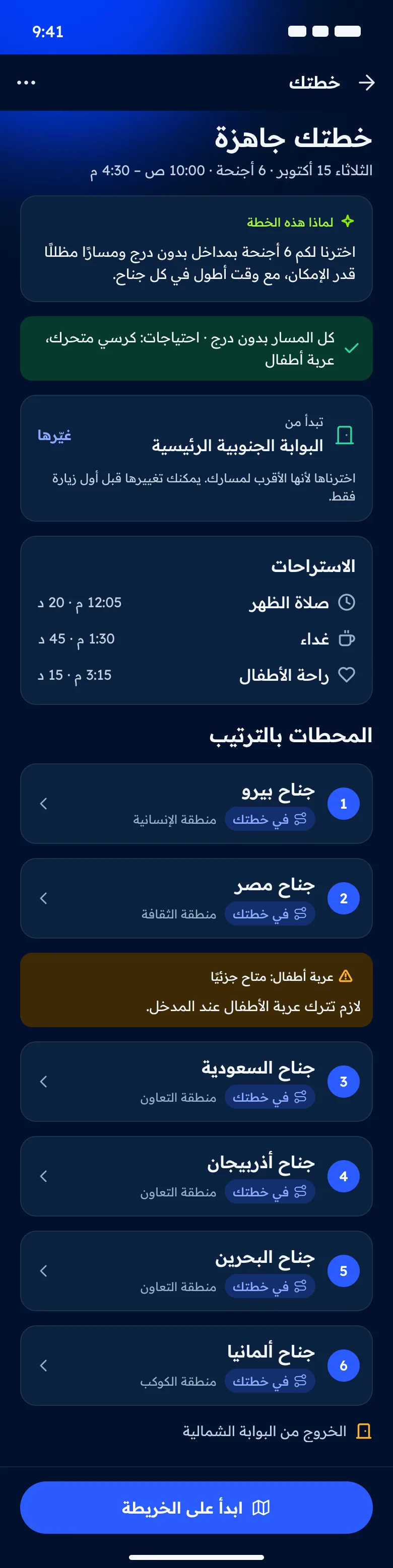
An animated walkthrough of the Figma screens, not a working prototype. Use the controls to pause or step through.
Look closer — select a screen to enlarge it
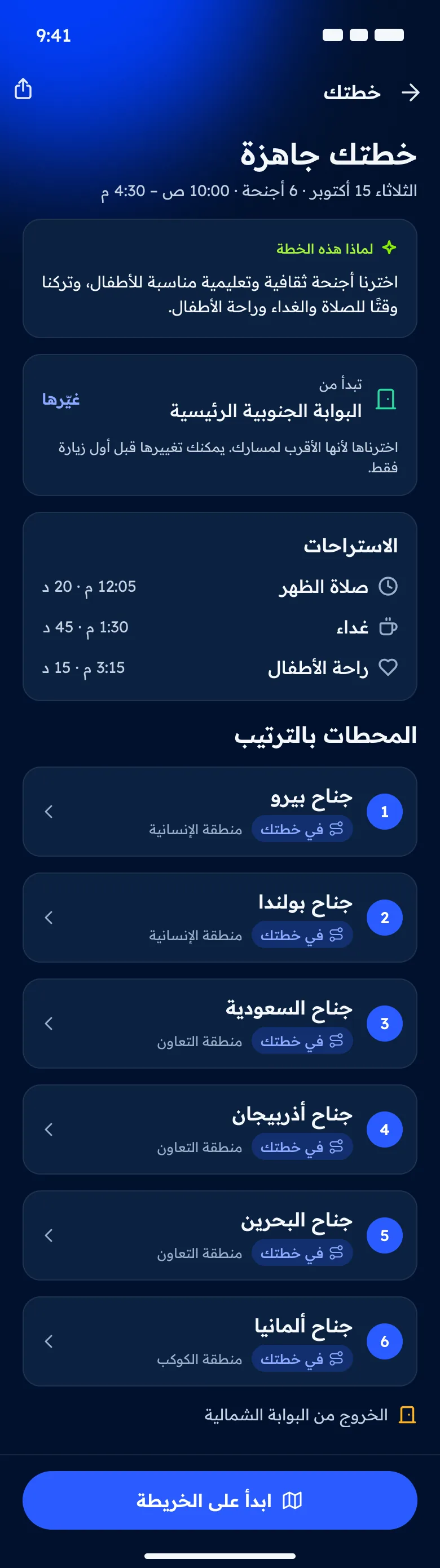
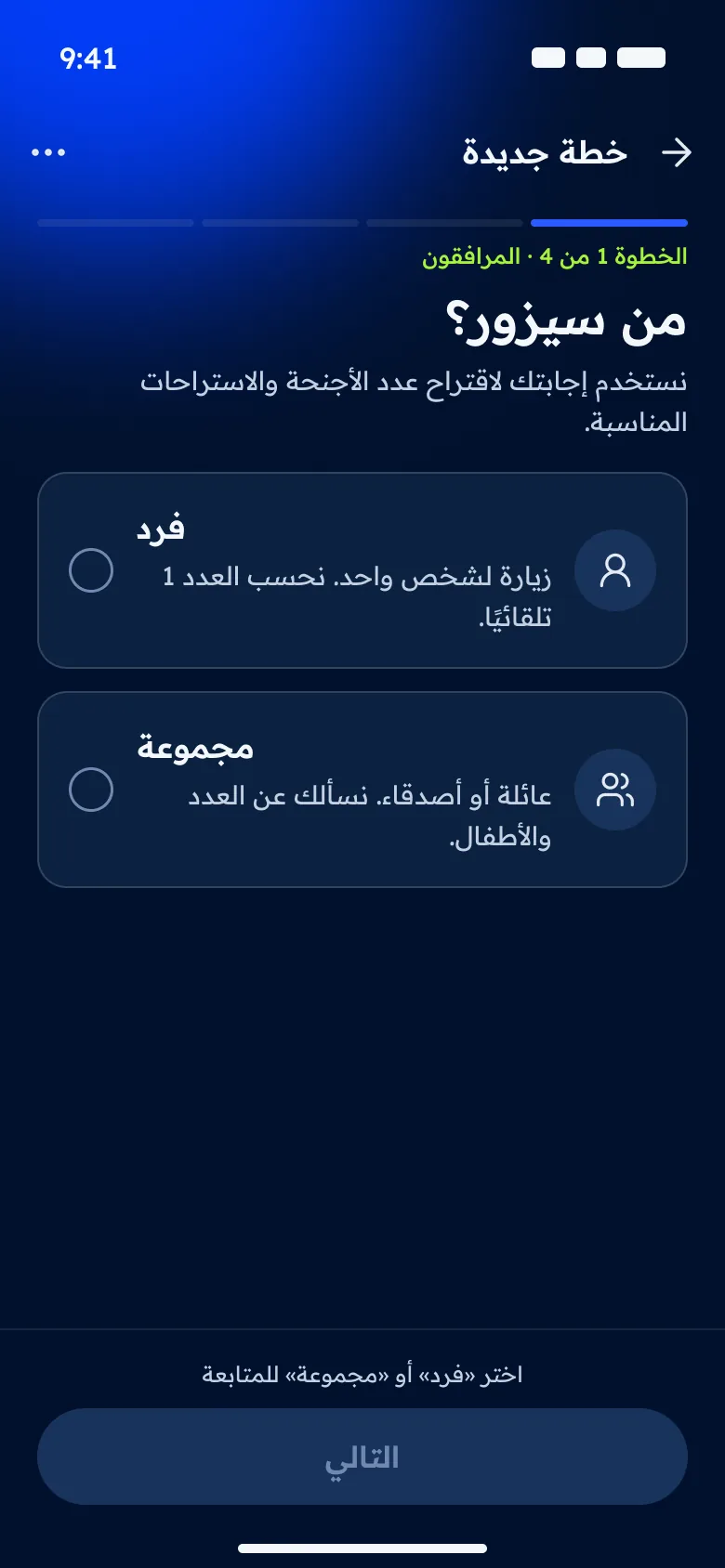
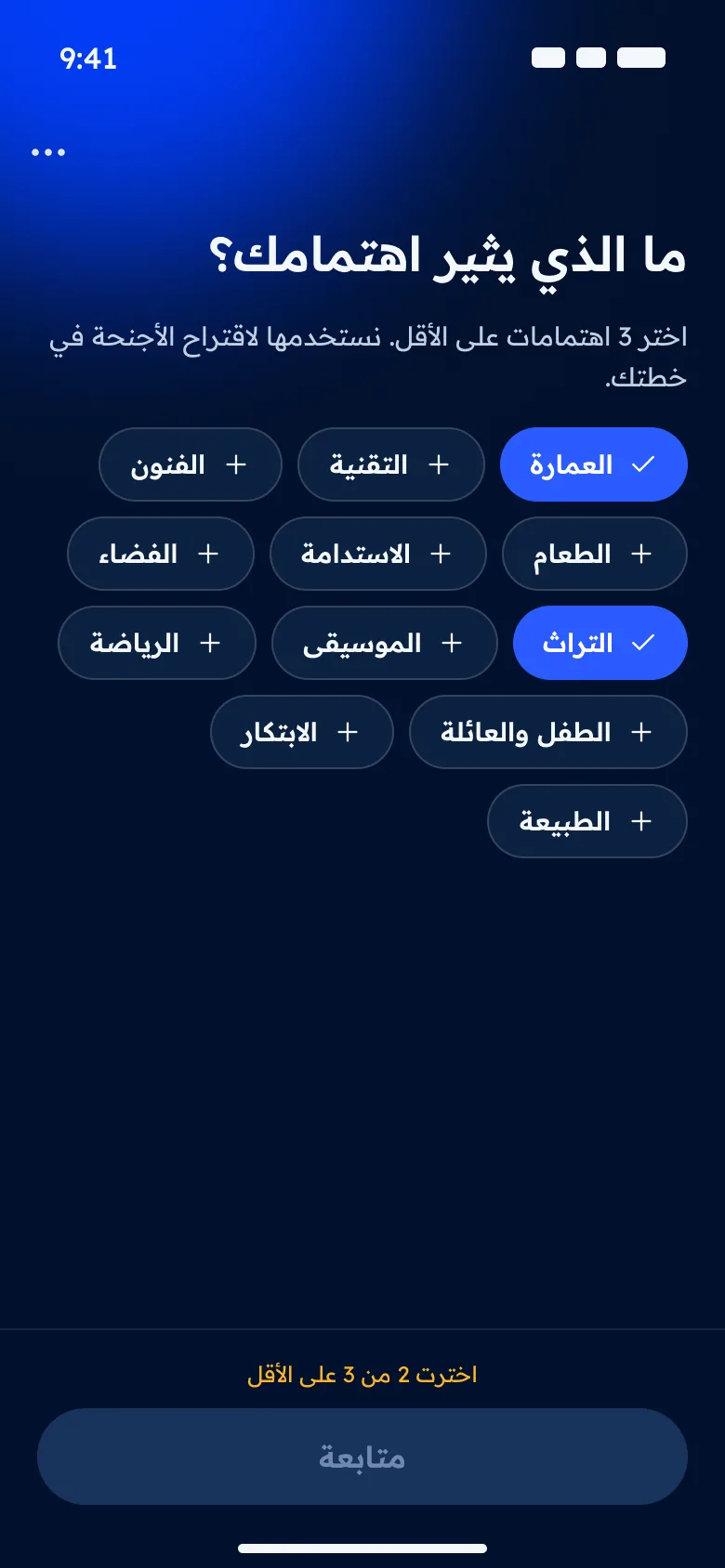
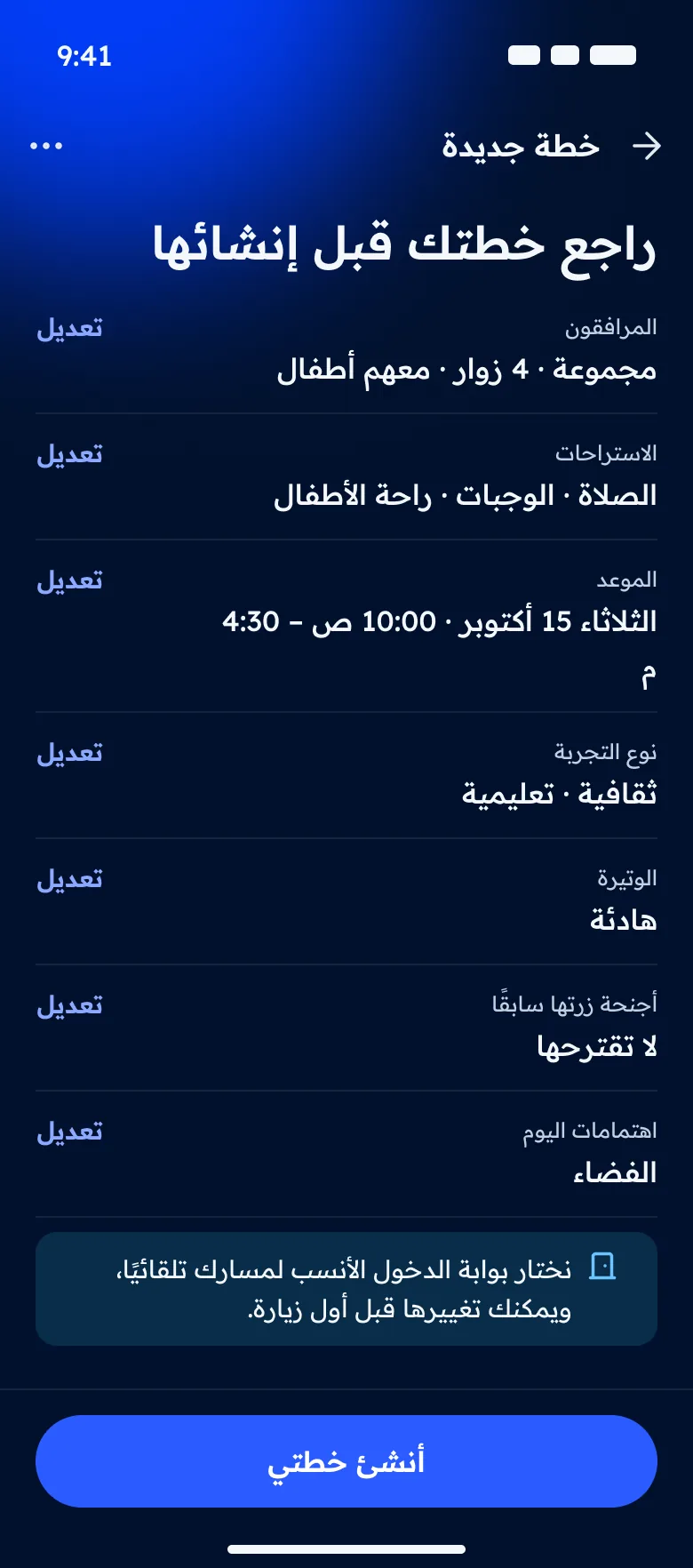
Step 1 of 4: who’s coming. The answer shapes pace, breaks and suggestions. Pick at least three interests. The counter explains why you can’t continue yet. Review before generating: every answer can be edited, and the gate choice is explained. While the plan is generated, plain language explains what’s happening instead of a fake percentage. Plan ready: why this plan, the starting gate, prayer and lunch breaks, then stops in order. Update the rest: visited stops stay fixed and are marked with an icon and text, not colour alone. Explore by accessibility needs: each partly accessible pavilion spells out its limitation. With accessibility needs, the plan confirms a step-free route and flags stops that need attention.
Outcome
- A full UX study, user flows and hi-fi screens for sign-up, discovery, planning (including accessibility needs) and editing, with developer notes.
- A light and dark design system, plus Arabic and English guidance with a shared glossary.
Next project
Ithra Library Monthly Newsletter