Afaq
From “what’s on?” to a ticket at the door
Afaq helps people find concerts, exhibitions, workshops and festivals across Saudi Arabia, then book, pay and keep a scannable ticket in one app. It was my first project, and I designed it on my own.
Tuwaiq Academy project · UI design
- My role
- UI designer (solo project)
- Project type
- Mobile events app
- Team
- Solo
- Method
- Design system → flows → states
- Tools
- Figma
22
screens, each in light and dark
2
steps from choosing tickets to paying
5
designed states: loading, empty, no results, declined, validation
6
cities in the filters, from Riyadh to AlUla
The challenge
Cultural events in Saudi Arabia are spread across cities and platforms. Finding one that suits you and booking it often means jumping between social posts, forms and payment pages. The goal was a calm, trustworthy journey on a phone, including the moments that usually feel broken.
My contribution
I designed Afaq on my own: the brief, the design system with component specs, and the end-to-end booking flow.
I used realistic Saudi event content to test the layouts, kept checkout to two steps, and designed every screen in light and dark.
Key insights
Three principles guided the design.
Relevance first
The first screen starts from what you care about and where you are, not a long generic list.
Every step answers one question
Is it for me? When, where and how much? What am I paying? Where’s my ticket? Each screen answers one.
No dead ends
Empty, error and loading states explain what happened and offer a next step.
Key decisions
01Discovery for planners and browsers
- User need
- Some people know what they want; others just want something good to do this weekend.
- Design response
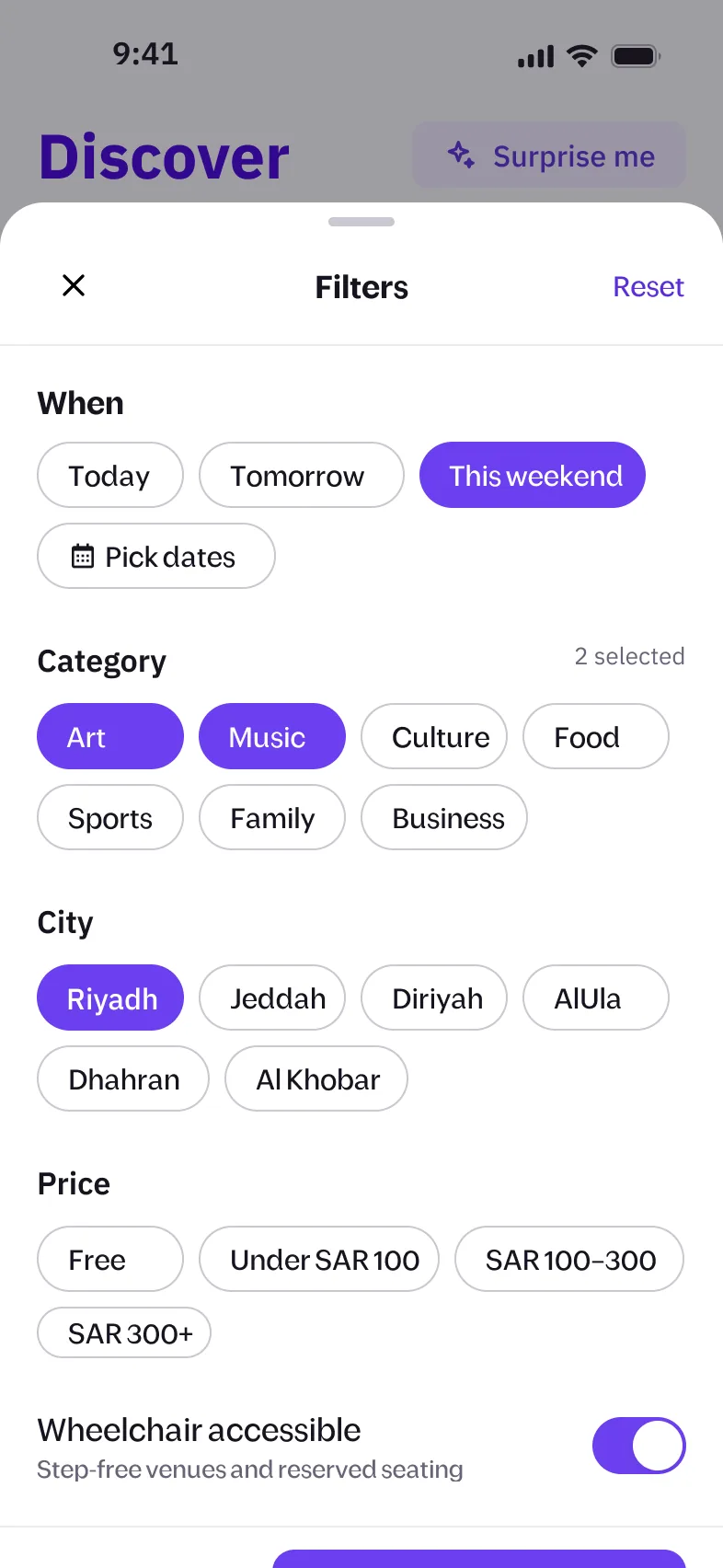
- Precise filters (date, category, city, price, wheelchair access) with a live count, list and map views, and “Surprise me”, which gives a reason for each pick.
- Why it matters
- Both get a fast path, and the reasons make recommendations feel trustworthy.
02A transparent two-step checkout
- User need
- Buying tickets feels risky when costs or options are unclear.
- Design response
- Step 1 explains each ticket type and keeps sold-out options visible but disabled. Step 2 itemises the fee and VAT, offers Apple Pay or local cards, and notes that the CVV is never stored.
- Why it matters
- No surprises at the pay button, and “Step 1 of 2” shows how close you are.
03Errors that tell you what to do next
- User need
- No results, a declined card or a typo are where people usually give up.
- Design response
- Each error sits next to its cause and names the fix, like “Try another card or Apple Pay”, or shows the closest match when nothing is found.
- Why it matters
- A problem becomes a detour, not an exit.
Discover, book, pay, show your ticket
The core journey, from first launch to the ticket at the door.
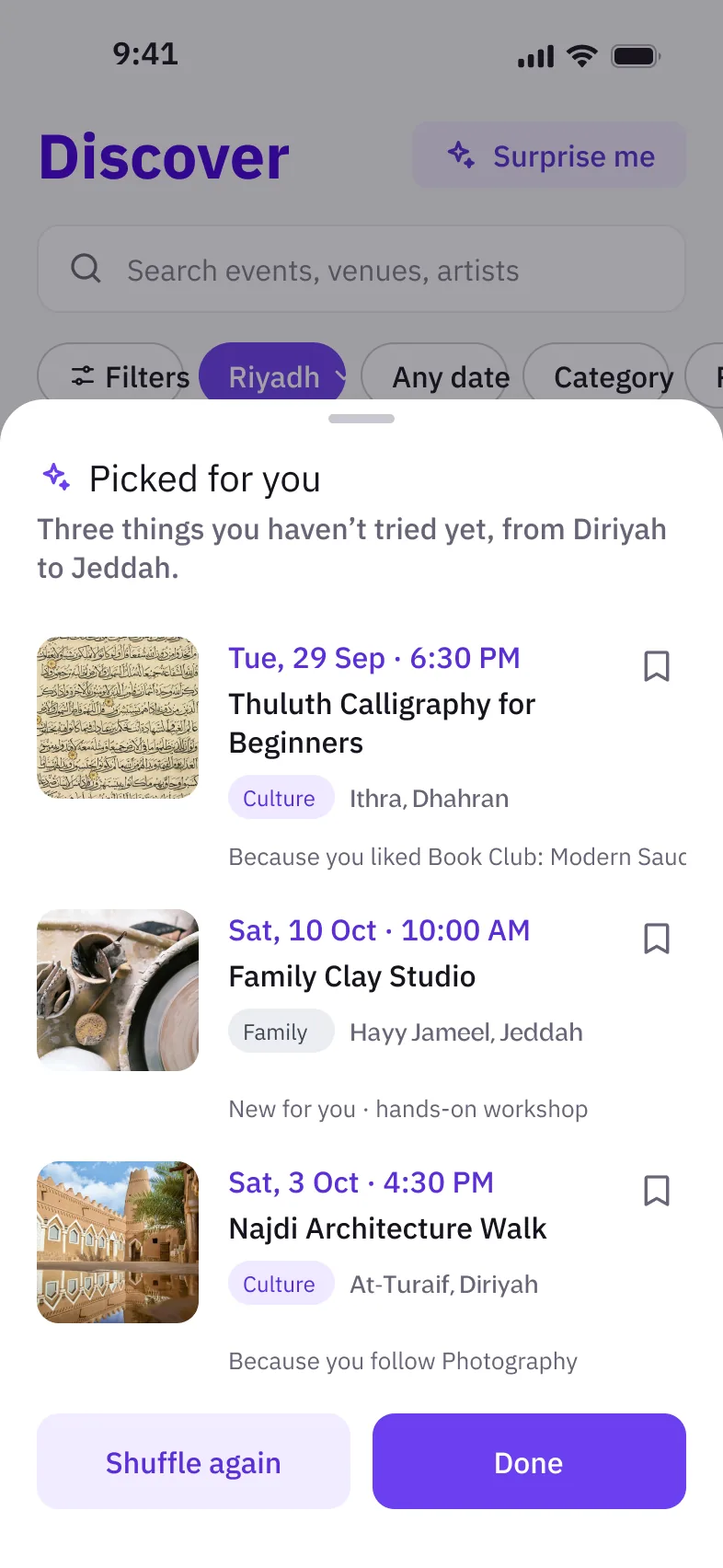
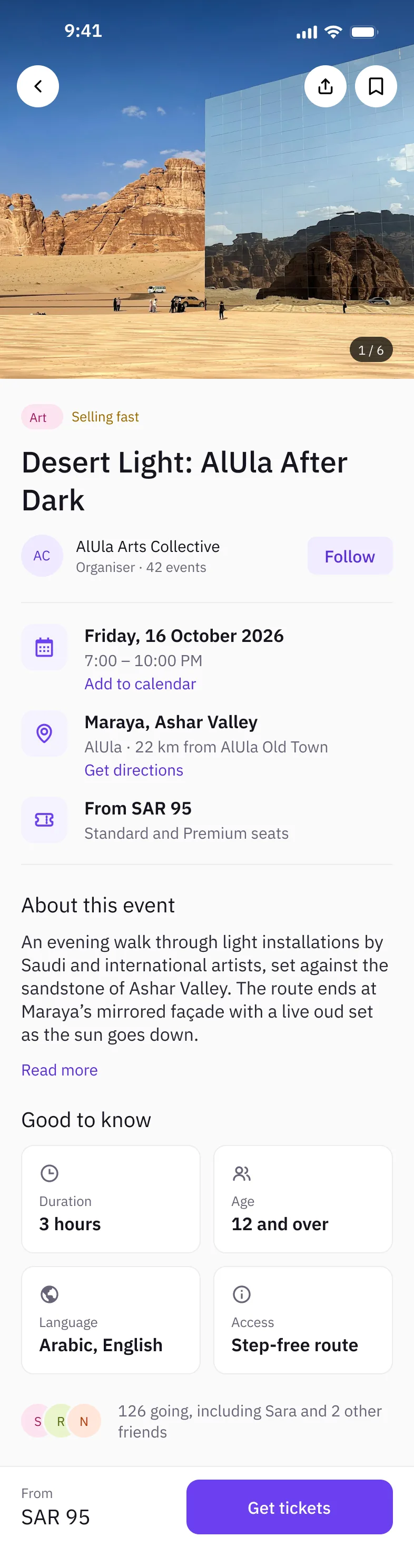
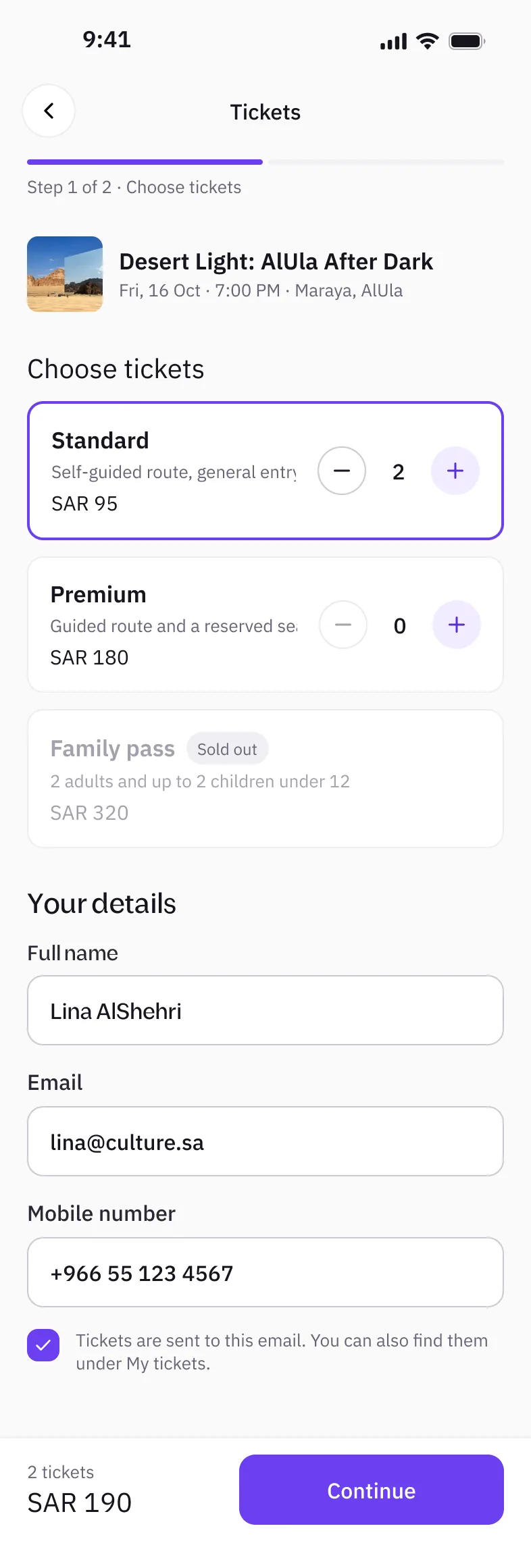
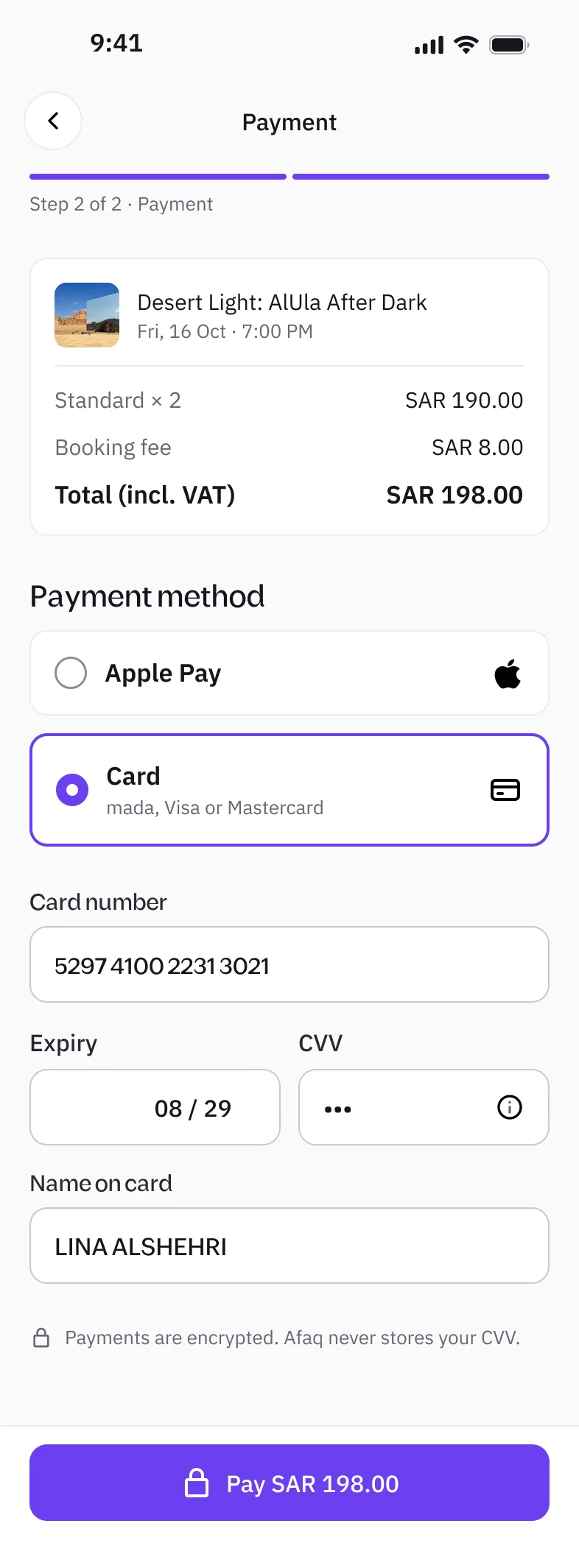
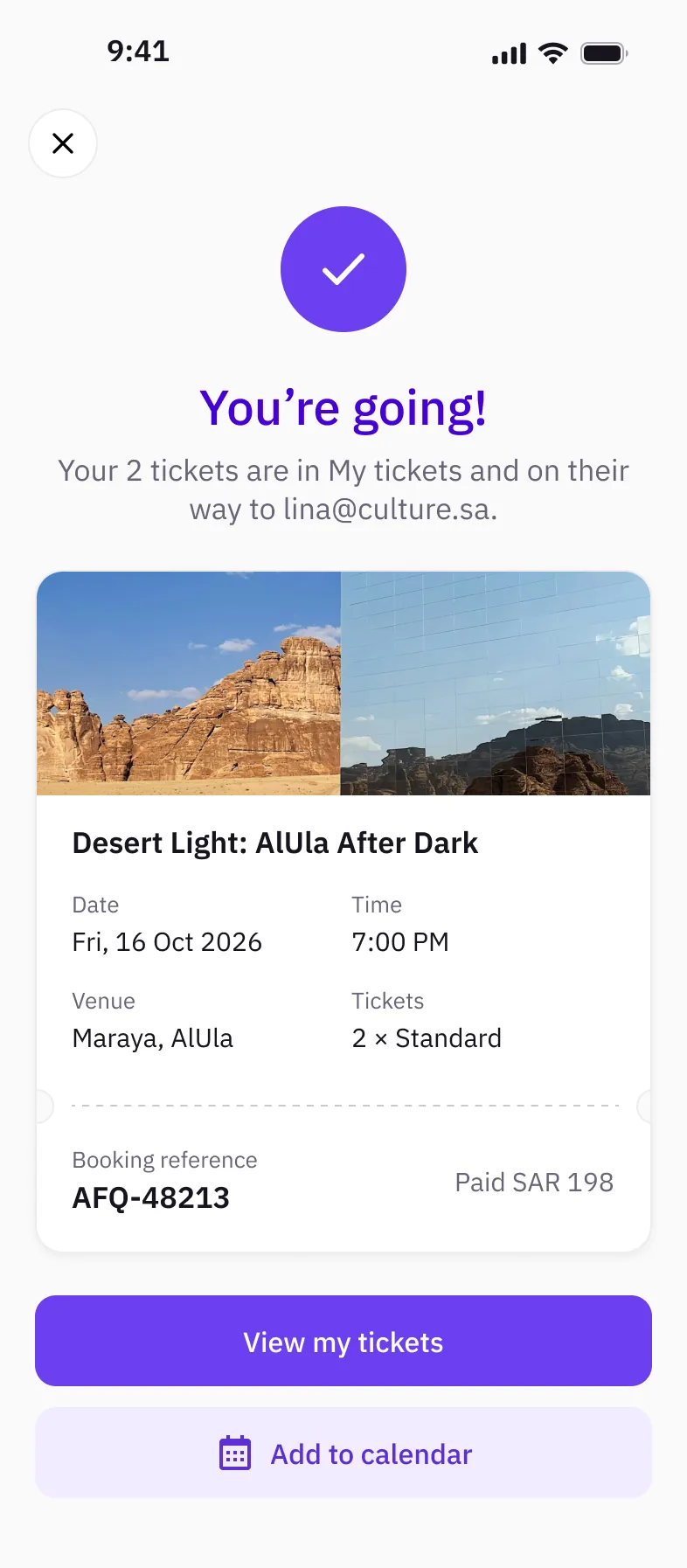
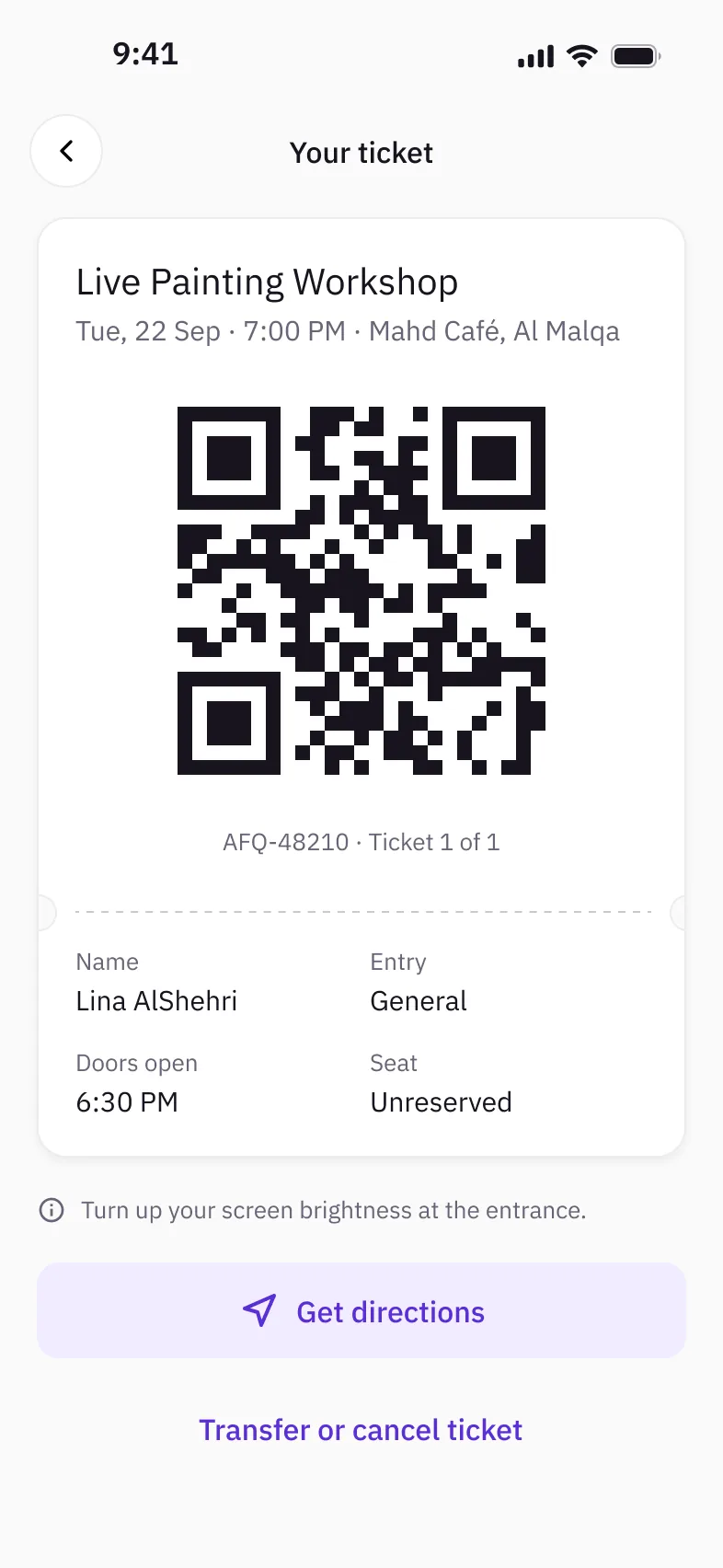
An animated walkthrough of the Figma screens, not a working prototype. Use the controls to pause or step through.
Look closer — select a screen to enlarge it
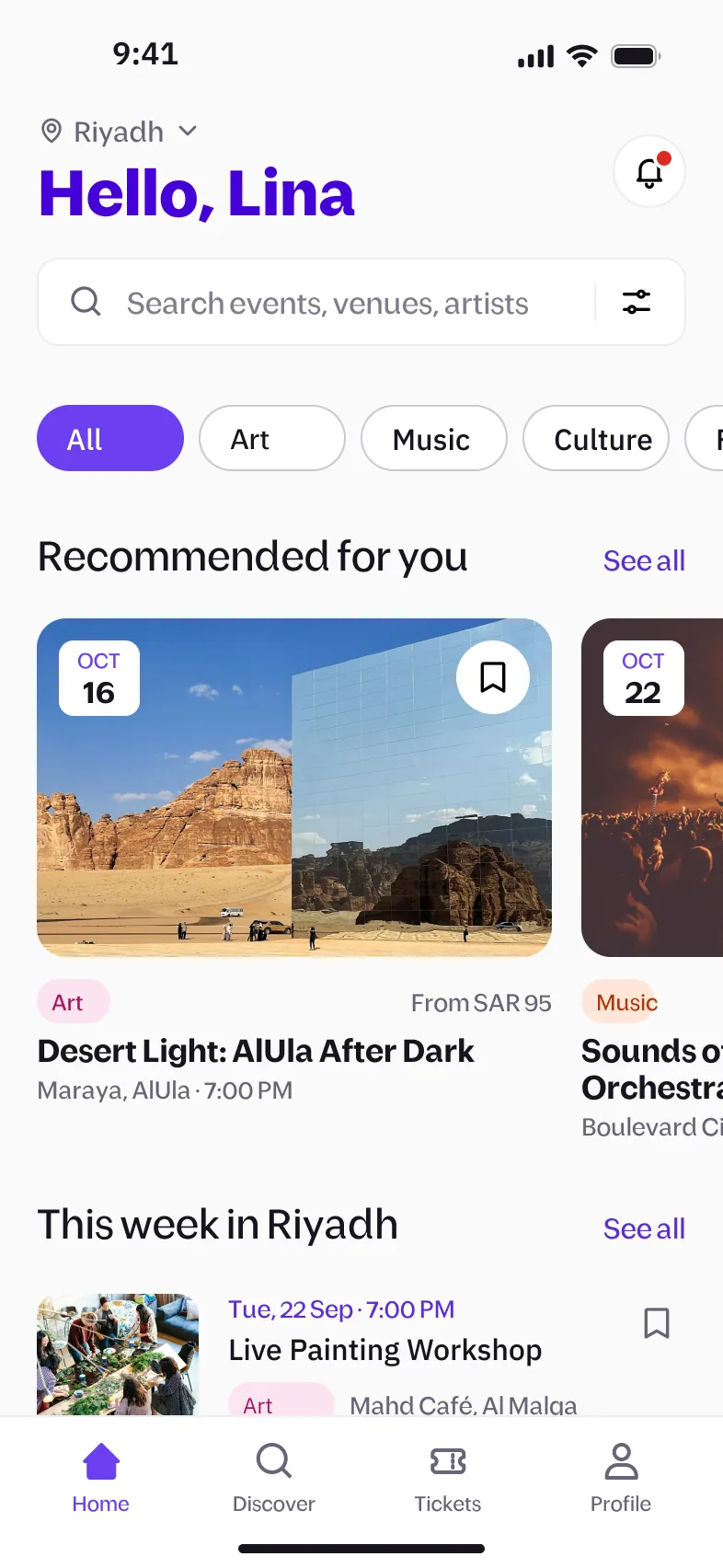
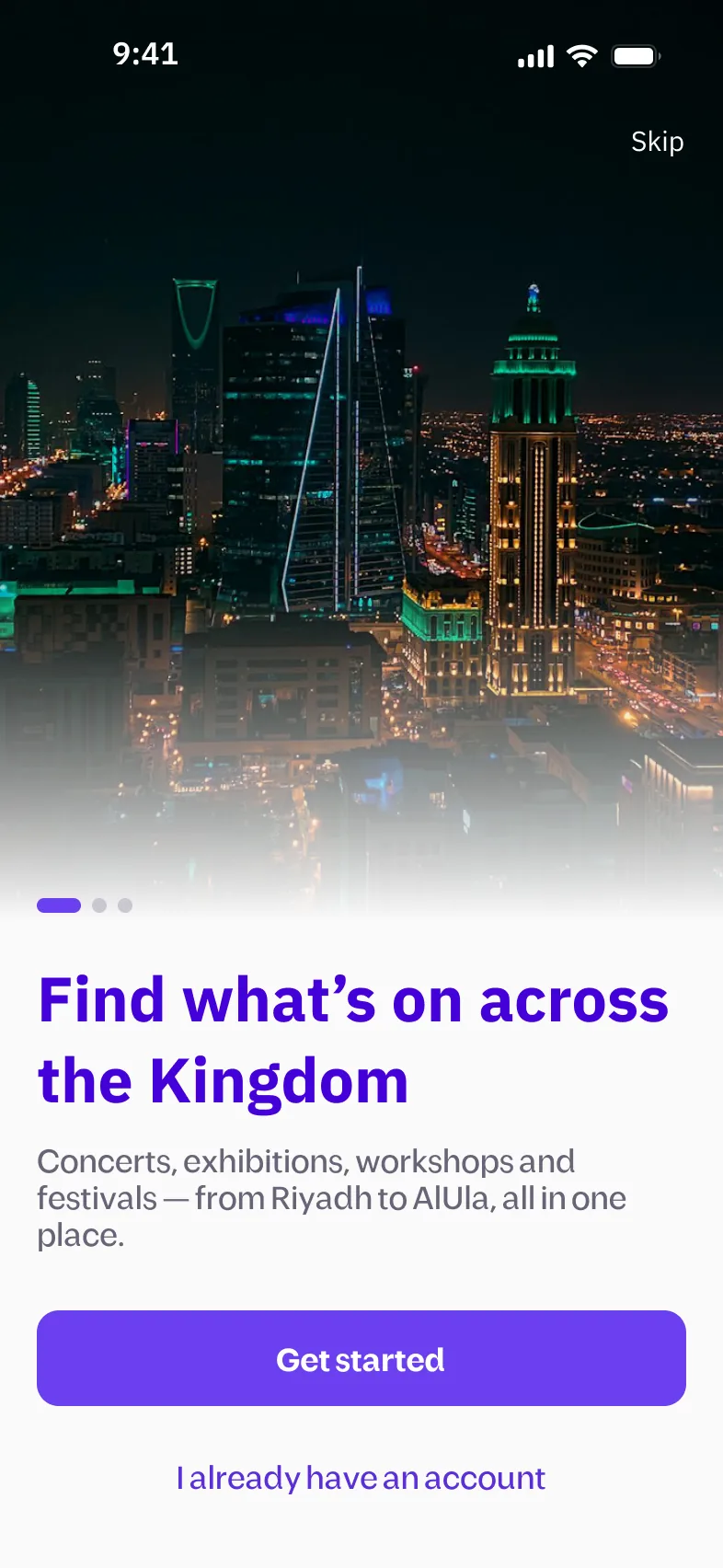
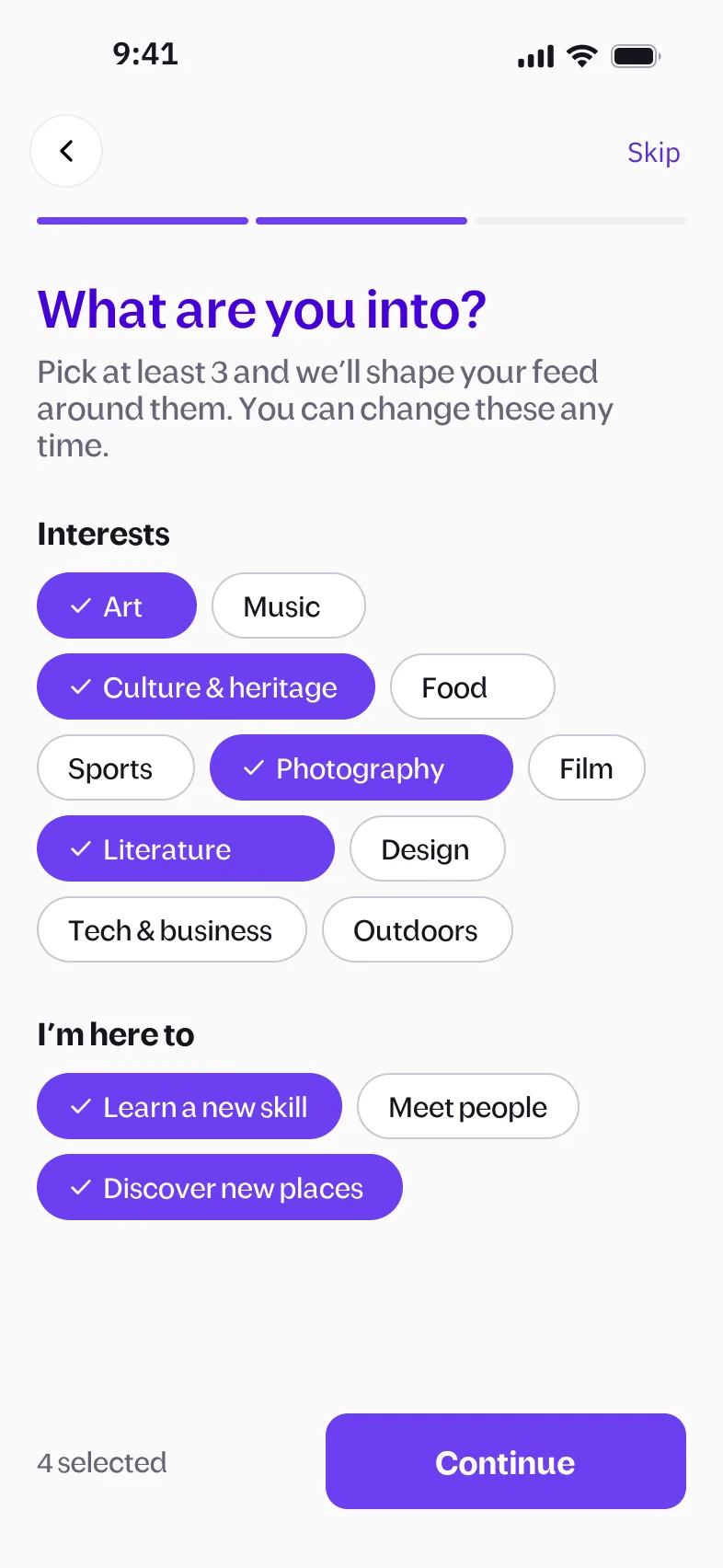
Welcome: concerts, exhibitions, workshops and festivals from Riyadh to AlUla, in one place. Pick at least three interests and a reason for going out; the feed is shaped around them and can be changed any time. Home: city, search and category chips up top; recommendations with date, price and venue at a glance. Filter by date, category, city, price and wheelchair access, with a live “Show 9 events” count. “Surprise me” suggests three things you haven’t tried, each with a reason, plus a shuffle. Event details answer the deciding questions: when, where, how much, duration, age, language, access, and which friends are going. Booking, step 1 of 2: ticket types explain what you get, sold-out options stay visible but disabled, and the total updates live. Step 2 of 2: the fee and VAT are itemised before you pay, with Apple Pay or mada/Visa/Mastercard and a note that the CVV is never stored. Confirmation: a booking reference, the key details, and shortcuts to your tickets and calendar. The ticket is built for the door: a QR code, door time, a reminder to turn up brightness, directions, and transfer or cancel.
States and dark mode
The in-between moments I designed alongside the main flow.
Loading: skeletons that match the real layout, so the page doesn’t jump when content arrives. No results: says why, offers two ways out, and still shows the closest match in another city. Declined card: the error sits on the field and names the next step: try another card or Apple Pay. No tickets yet: explains that tickets will appear here, ready to scan even offline, and links back to exploring. Validation: errors show an example of what’s expected, and the password rule confirms when it’s met. Dark mode: every screen comes in both themes, built from the same design tokens. Event details in dark mode, with the image in focus and text that keeps its contrast.
Outcome
- A complete UI of 22 screens in light and dark: onboarding, discovery, booking, payment, tickets and profile.
- A design system with component specs, including skeleton loading rows.
Next project
Natiq