Natiq
Speech practice at home that children enjoy and parents can follow
Between therapy sessions, parents weren’t sure how to help their child practise, and children lost interest within minutes. Natiq brings the child, parent and speech therapist into one app, with short playful exercises and a clear next step.
Capstone · Tested prototype
- My role
- Project leader & UI designer
- Project type
- Capstone 4 · Mobile app for 3 user roles
- Team
- 4 designers
- Timeline
- 8 days
- Method
- Double Diamond
- Tools
- Figma · Maze
30
parents surveyed
100%
task completion in Maze testing
100+
high-fidelity screens, 3 roles
60+
components in Design System v2
The challenge
Children make much of their speech progress at home, but parents relied on YouTube and advice they couldn’t verify, and couldn’t tell whether a sound was right. The main user was a five-year-old who can’t read yet.
My contribution
I led a team of four designers through an 8-day Double Diamond process, kept research, decisions and screens connected, and designed the high-fidelity UI.
Together, we ran the research, built the design system, tested on Maze and evaluated the app against Nielsen’s heuristics.
Key insights
Interviews with parents and speech therapists, plus surveys of 30 parents and 3 specialists.
Parents need a plan
Their top needs were understanding the next step and knowing how to do the exercises at home (53.3% each). Unclear instructions were the biggest barrier (36.7%).
The child has to enjoy it
Children get bored after 5–10 minutes. Praise, rewards and everyday words worked better than repetition.
Trust in AI was split
Interviewed parents were open to AI, most survey respondents were hesitant, and specialists wanted safeguards. This shaped our most important decision.
Key decisions
01AI encourages; the specialist assesses
- User need
- Parents wanted feedback on pronunciation but were wary of AI, and a machine can be wrong.
- Design response
- AI listens and encourages each attempt. The specialist writes the real assessment and can correct AI results.
- Why it matters
- A wrong verdict could discourage the child or mislead the family.
02Designed for a child who can’t read
- User need
- A five-year-old can’t read instructions and is discouraged by “wrong”.
- Design response
- Spoken instructions, a sun mascot that listens, thinks and celebrates, short activities and 64px touch targets.
- Why it matters
- If the child doesn’t enjoy it, no one keeps using it.
03Progress without a diagnosis
- User need
- Parents want to see progress, but scores can read like a medical verdict.
- Design response
- Show practice days and completed exercises, plus the specialist’s notes, in plain language.
- Why it matters
- Parents stay motivated, and the specialist stays the reference.
From the first assessment to daily practice
The core parent and child journey, in the final screens.
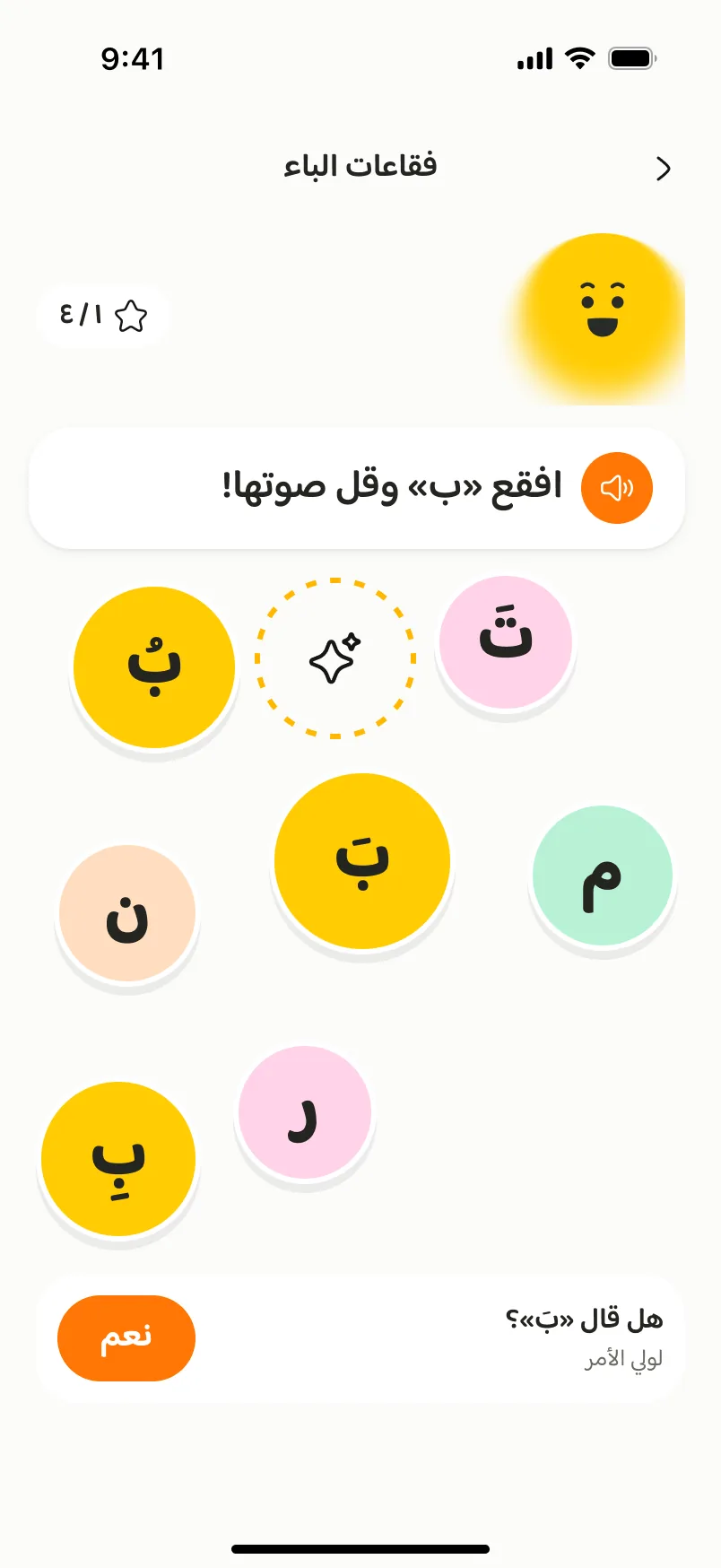
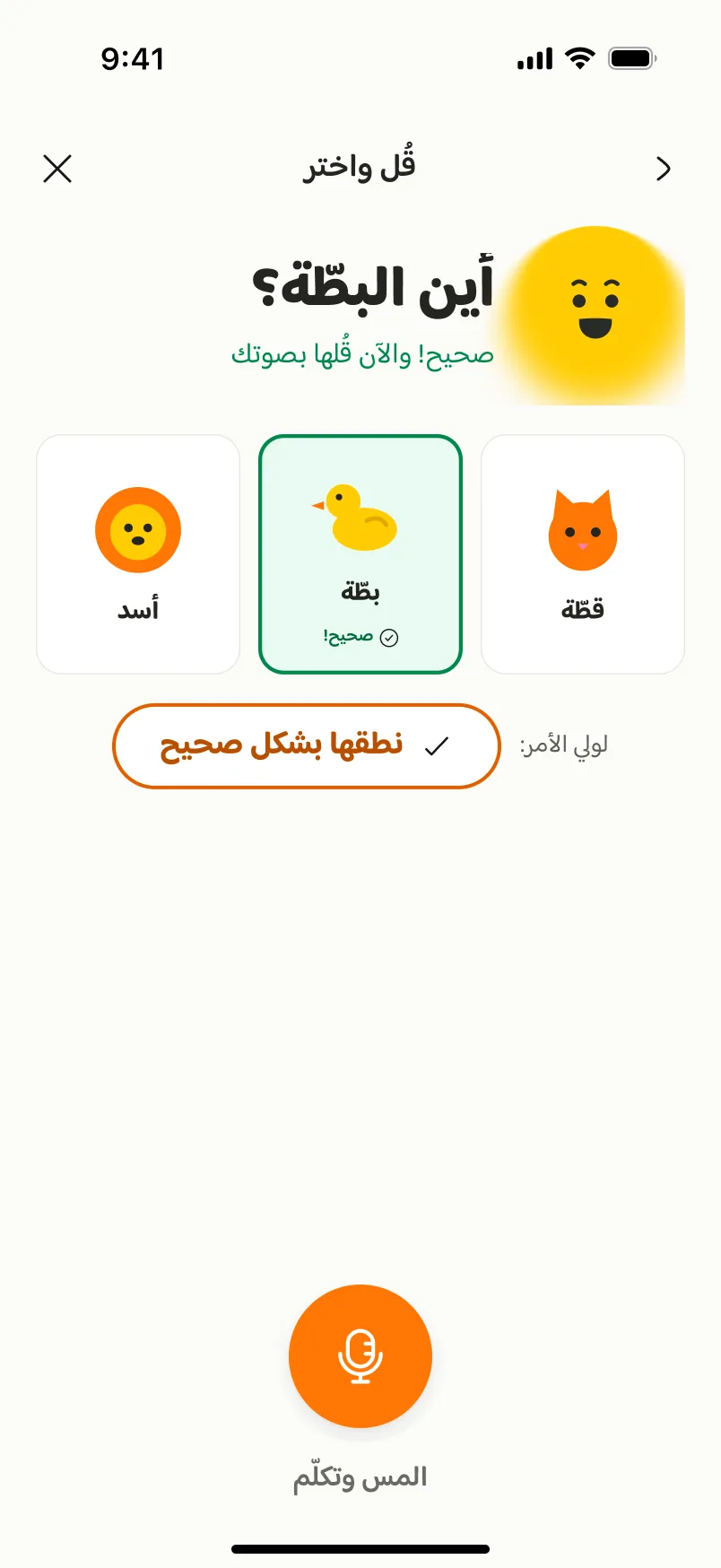
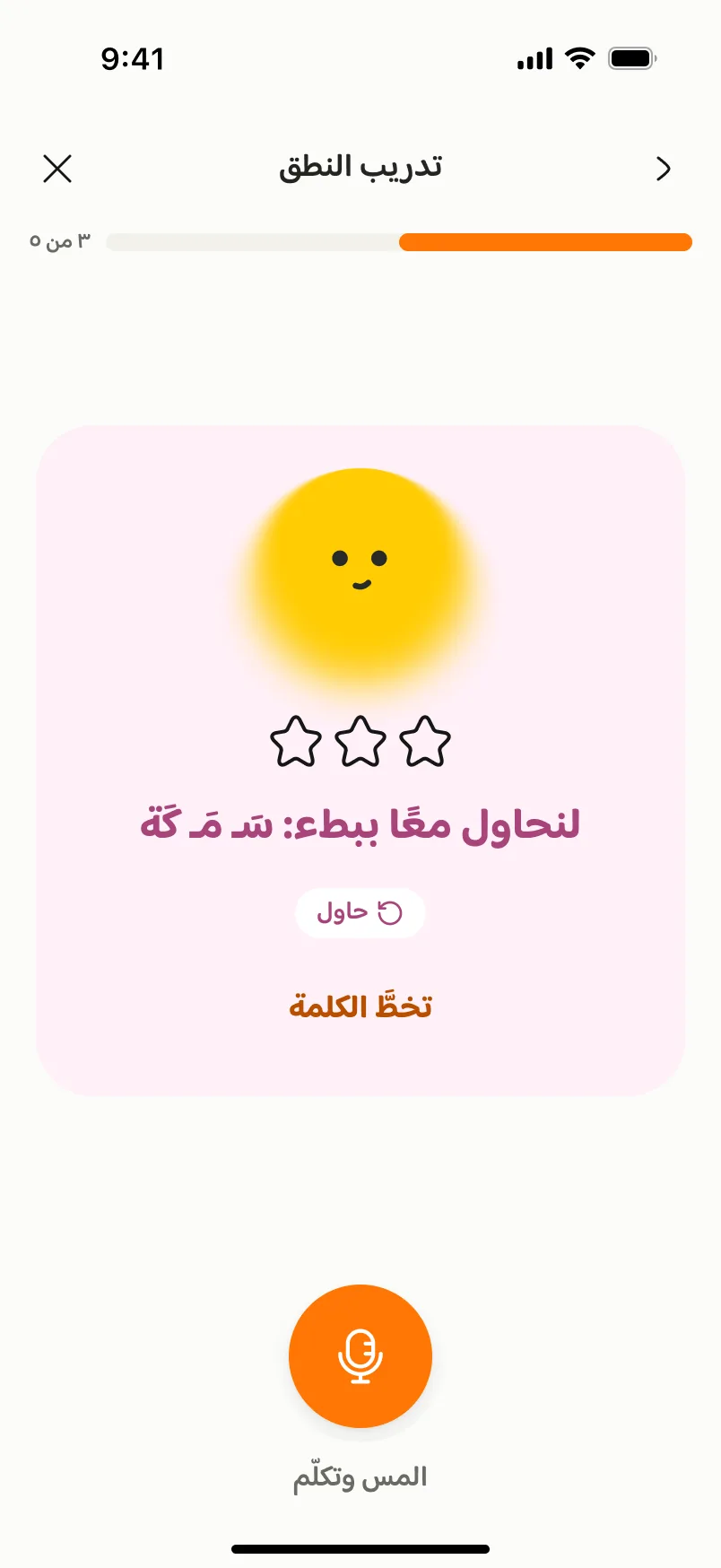
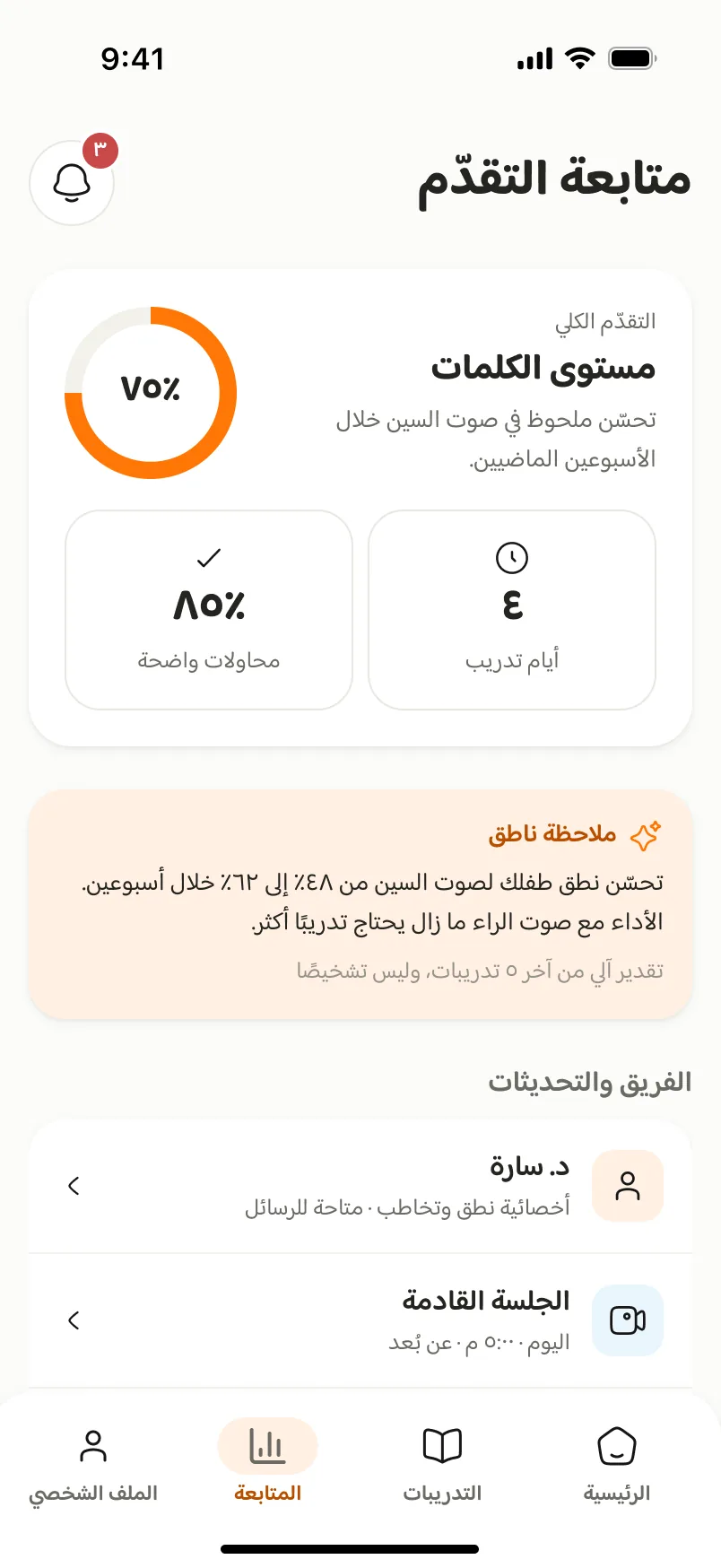
An animated walkthrough of the Figma screens, not a working prototype. Use the controls to pause or step through.
Look closer — select a screen to enlarge it
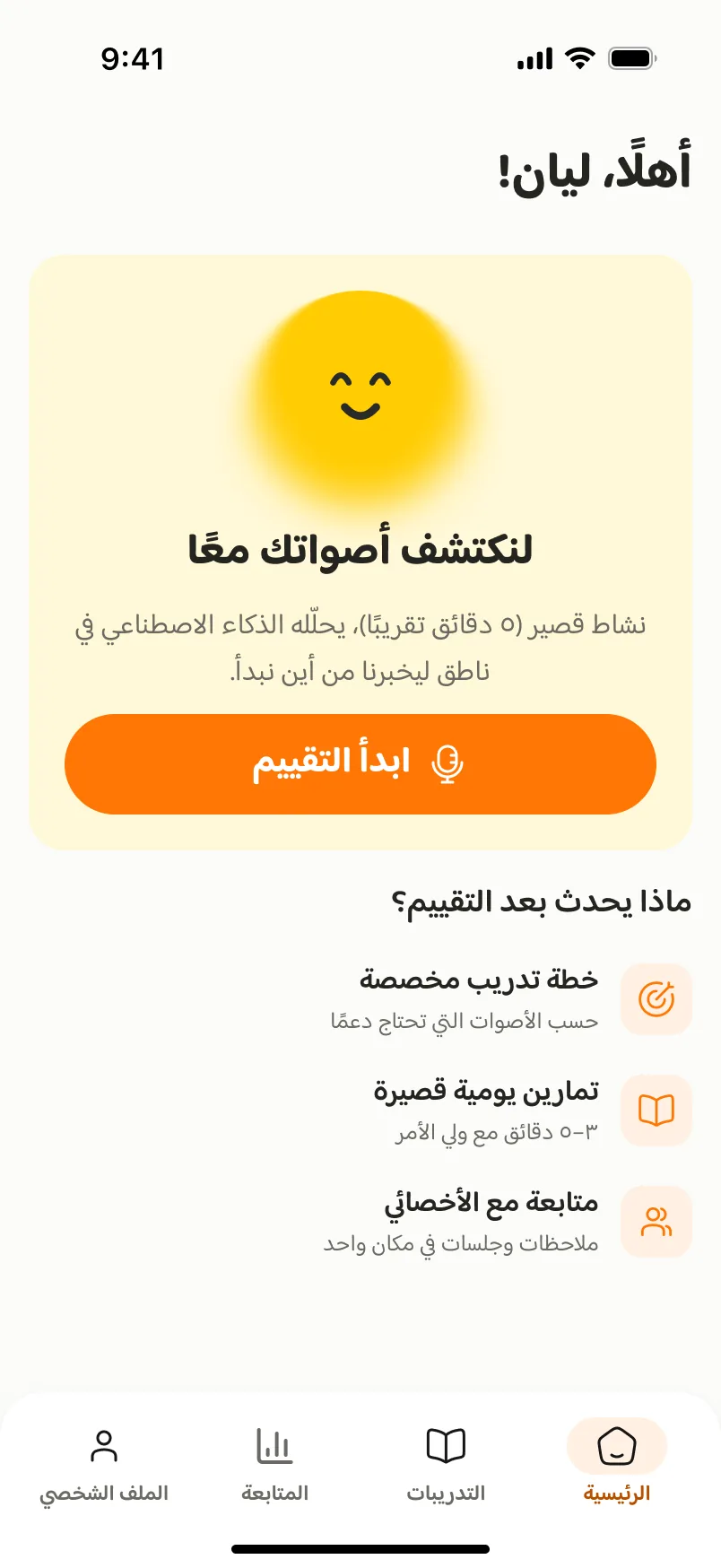
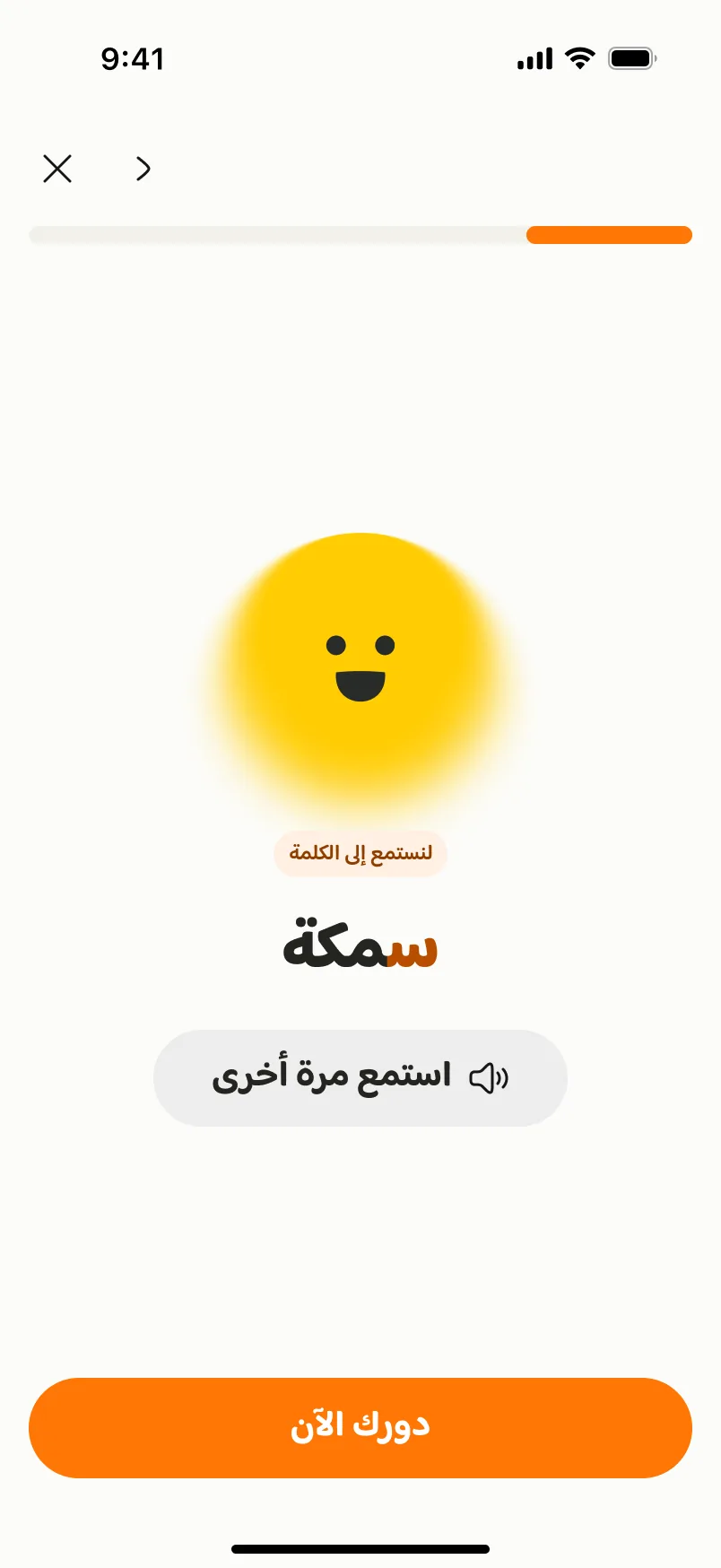
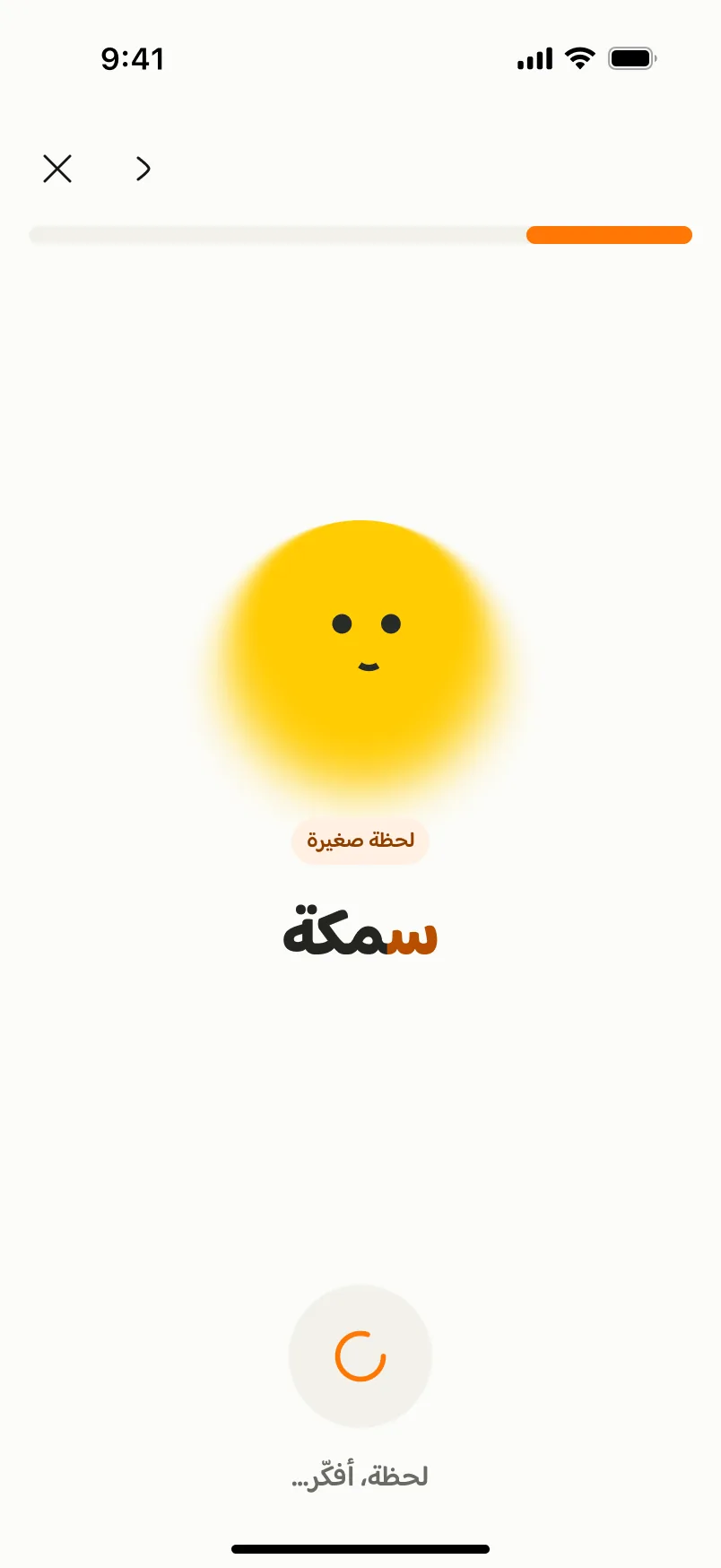
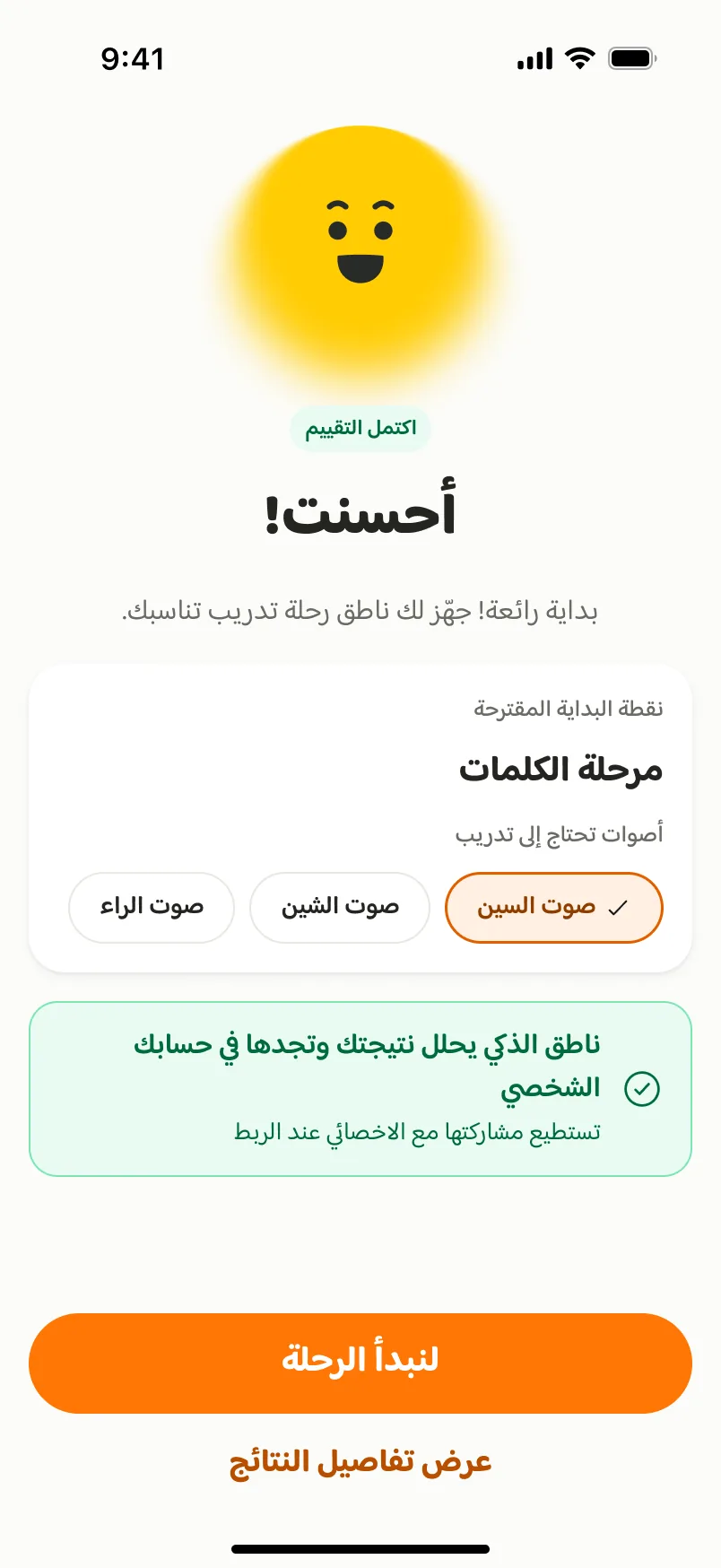
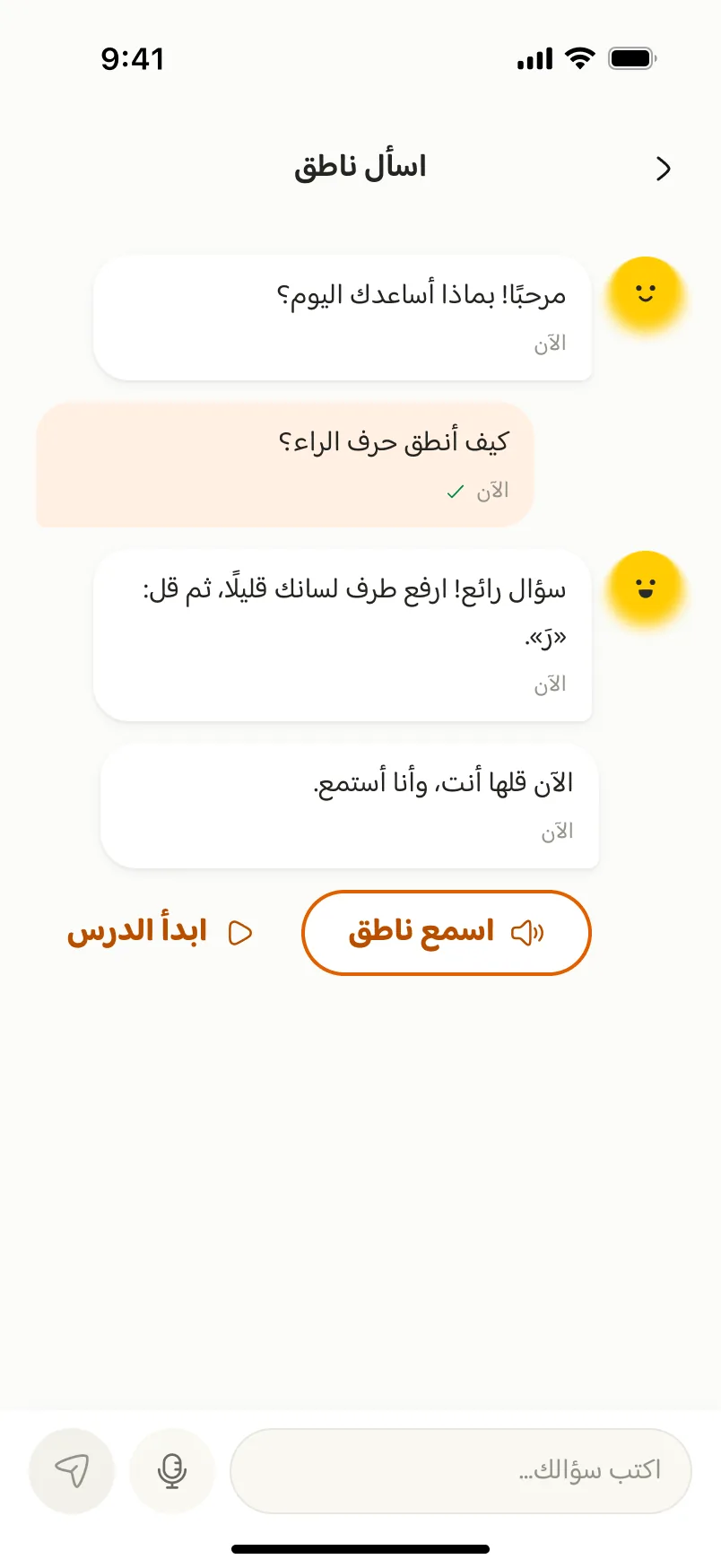
Parent home before the assessment: one clear next step, plus what happens afterwards. Assessment: Natiq says the word and the target sound is highlighted, so a child who can’t read yet still knows what to listen for. System status stays visible: the sun mascot ‘thinks’ while the attempt is analysed. Results suggest a starting stage and target sounds, and can be shared with the specialist once linked. Play: an audio prompt, the target letter in yellow and a star counter, all added after our wireframe review. Success is shown with colour, an icon, text and sound together, never colour alone. Trying again, gently: “Let’s try together slowly” instead of “wrong”, and skipping is always possible. Progress for parents: current level and practice days in plain language, with the specialist team one tap away. Ask Natiq answers parents’ questions any time. It was the quickest task in testing.
What changed after testing
Changes from our wireframe review, heuristic evaluation and Maze test.
Letter bubbles
BeforeNo guidance, and every letter the same grey.
AfterA spoken prompt, the target letter in yellow and a star counter.
Say & choose
BeforeA mic button alone, with no cue to speak and no success feedback.
AfterA clear question, “Listen and speak” under the button, and a green success state.
Linking a specialist
BeforeShowed “Linked” before the specialist had accepted.
AfterShows the real state, “Request sent · Awaiting approval”, with a way to recover expired codes.
Evidence
Usability testing on Maze
An unmoderated test with 4 parents and 3 tasks. Everyone completed every task, and the data showed where to improve.
72.1s · 4.3/5
Letter ‘ب’ lesson and game
172.5s · 3.8/5
Join a specialist session
23.5s · 4.0/5
Ask Natiq a question
To improve: finding a session
The slowest task, with 56.1% misclicks. The fix: a “Your next session” card on the home screen with a join button.
Strength: lessons and games
The highest-rated feature (4.3/5) and the one participants mentioned most.
Outcome
- An interactive prototype with 100+ screens for the child, parent and specialist, including error and empty states, dark mode and iPad layouts.
- Design System v2: 60+ components, 21 text styles and 65 colour variables, with contrast checked against WCAG 2.2 AA.
- Research shifted our focus from booking a specialist to understanding the next step.
Next project
Wijhah